The ClientPortal
A production client portal Montanye Creative builds and operates for engagements: project tracking, invoicing, live delivery feeds, and analytics, on a real modern stack. Part product tour, part proof of craft.
- Role
- Architecture & build (solo)
- Type
- Full-stack web app
- Stack
- Next.js · React · Postgres
- Status
- In production
A product the studio owns, not a bolted-on SaaS template
The portal is a custom application built and operated for client engagements: a calm place for clients to track work, ideas, invoices, and outcomes, and a real production app that shows how the studio ships software.
Access is invite-only and passwordless. The goal was a polished client experience backed by production-grade engineering: the same class of concerns (auth, sessions, sanitization, backups, integrations) you would bring to any serious app, not a template with the logo swapped.
The system
// deliberately boring in the best way: proven vendors, clear boundaries
Platform & delivery
Next.js 16 · App Router
React 19
Vercel · edge, analytics, speed insights
Tailwind + Radix primitives
GSAP · motion
Data & storage
Neon Postgres · projects, tickets, invoices
Vercel Blob · file uploads
Weekly S3 backups · automated
Auth & access
Better Auth · passwordless email OTP
Postmark · transactional email
Server-gated sessions · allowlisted
reCAPTCHA v3
Content & forms
TipTap + DOMPurify · sanitized rich text
react-hook-form + Zod · validation
cmdk · command palette
Integrations
GitHub App + Octokit · commit sync
Google Analytics 4 · Data API
Stripe · billing / payments
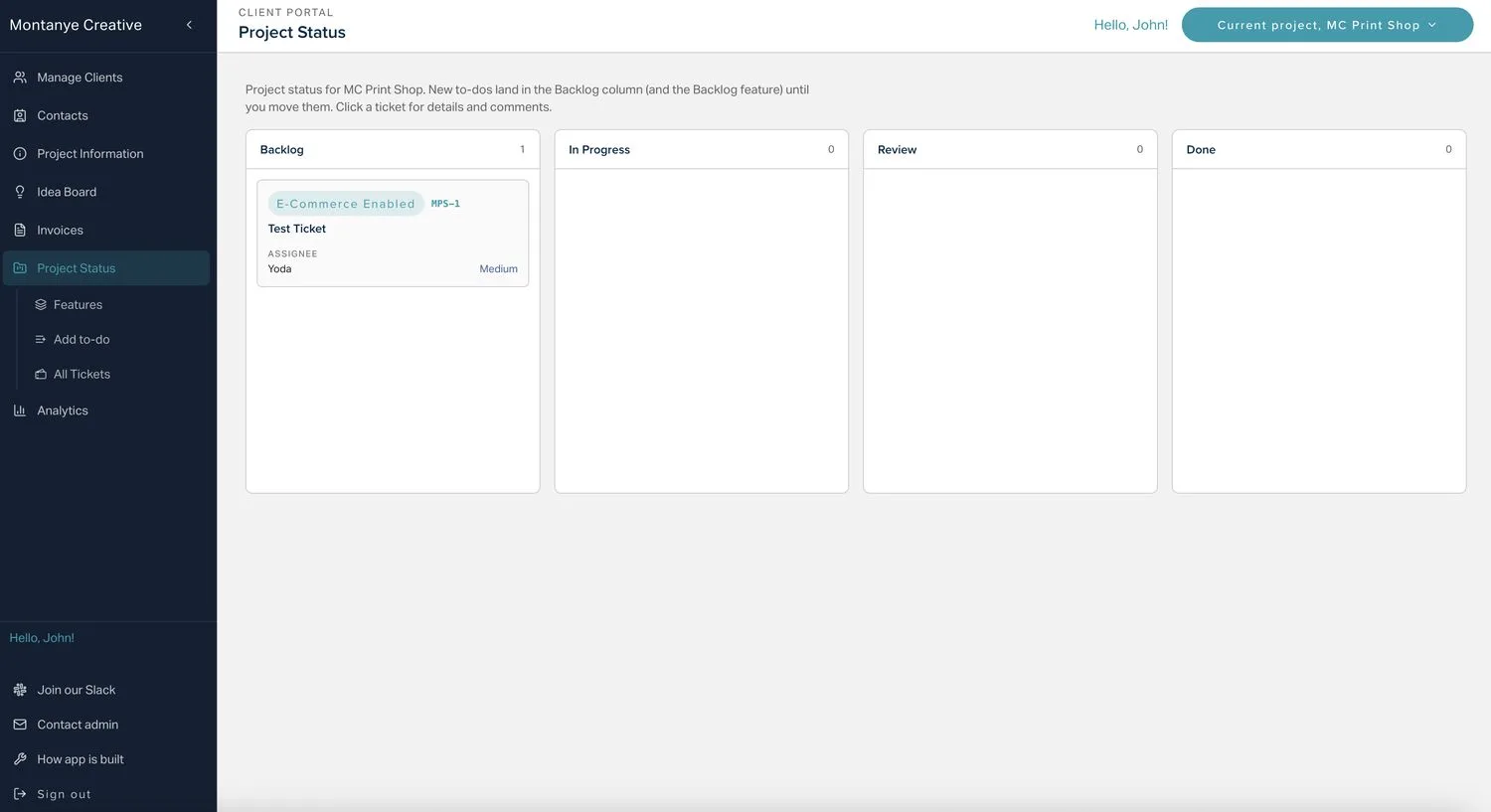
A lightweight kanban with the collaboration teams actually use
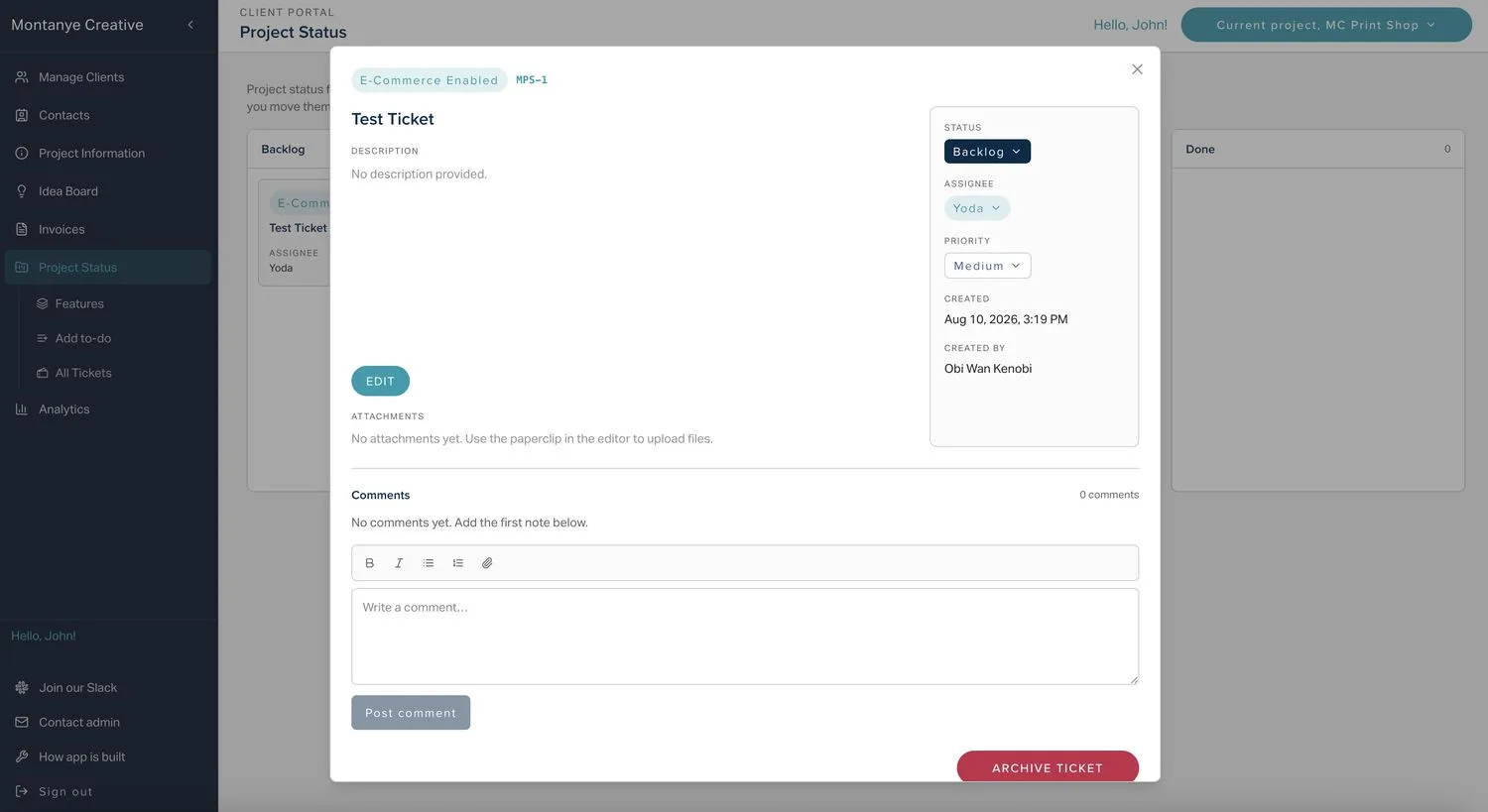
Delivery runs on a drag-and-drop board across Backlog, In Progress, Review, and Done, with features grouping related tickets. Every ticket carries status, assignee, priority, a rich-text description, threaded comments, and file attachments.
An All Tickets view keeps a searchable, filterable inventory (by status, priority, assignee, or feature), including archived work that has left the board, so nothing is ever lost.
- Drag & drop
- Comments
- Attachments (Blob)
- Searchable archive
A single source of truth, with a live development feed
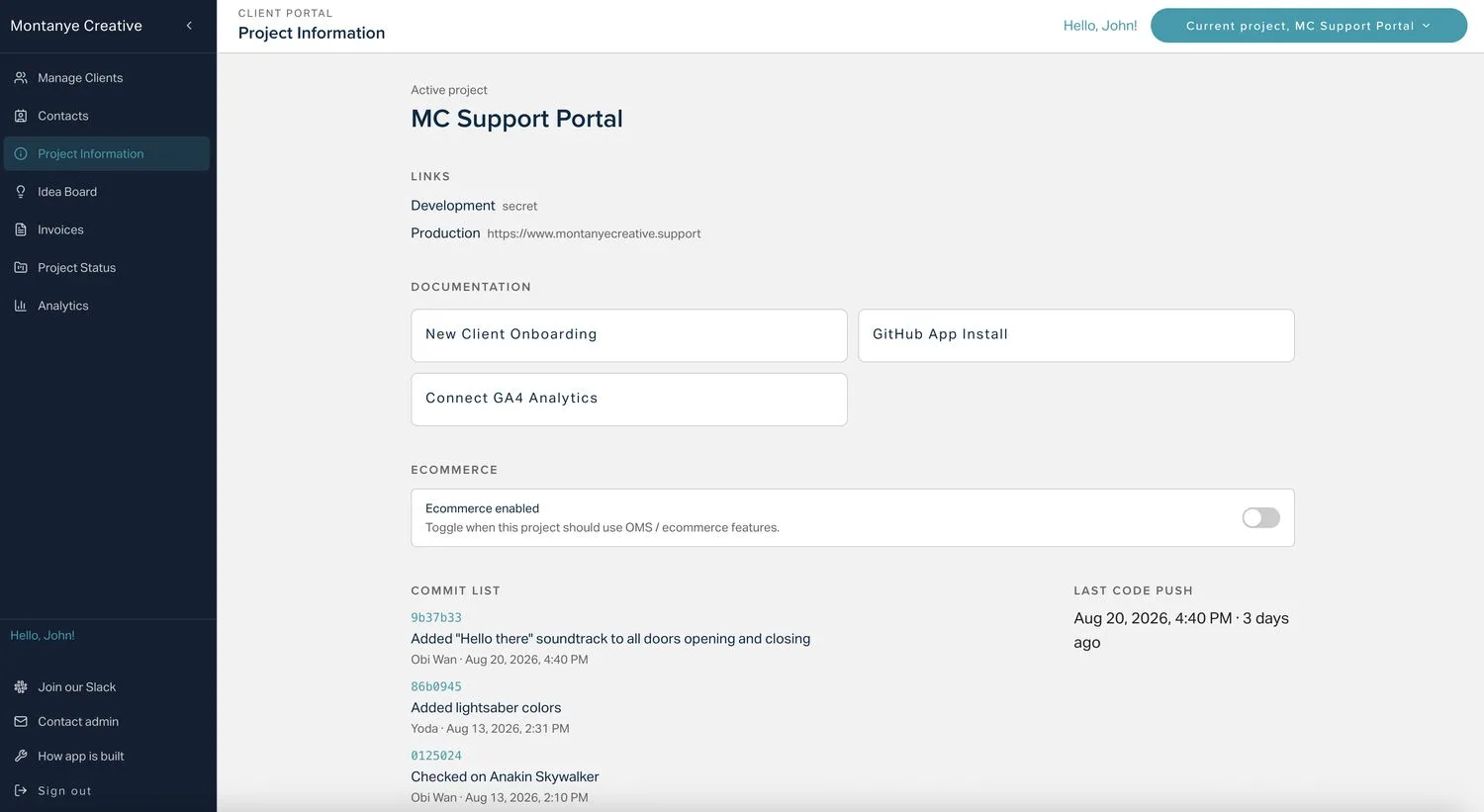
Each project keeps its environment links, brand context, documentation, and an e-commerce toggle in one place. A GitHub App syncs recent commits straight into the portal, so clients can see shipping activity and exactly when the last code push went live, without ever opening a repository.
Multi-project accounts switch context from the header without losing the rest of the portal.
- GitHub App + Octokit
- Live commit feed
- Multi-project
Billing lives in the same product as the work
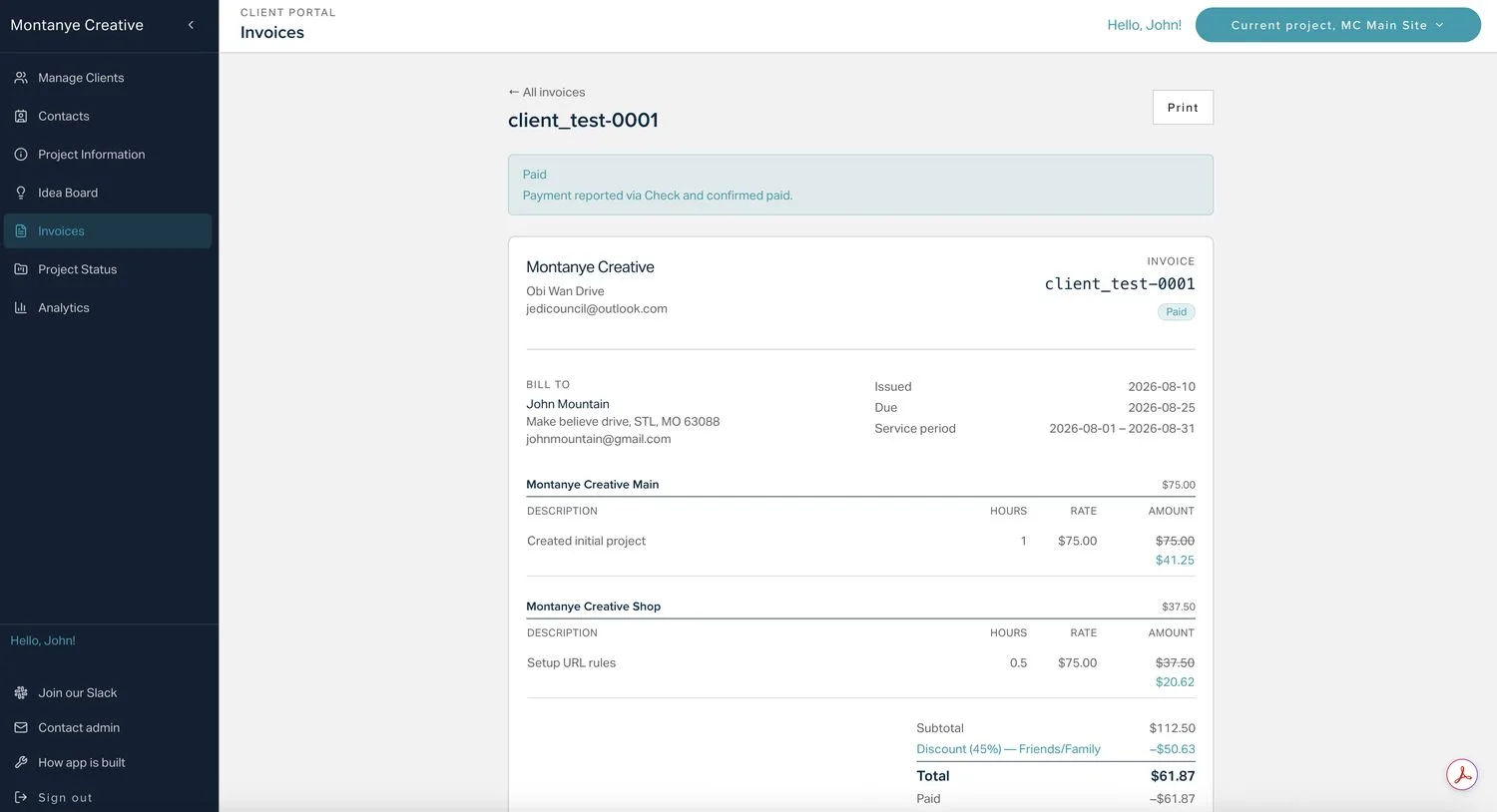
No second system to hunt for an invoice. Account-scoped invoices carry line items, discounts, status, and printable documents. Clients can report a payment as sent so follow-up never gets stuck in email limbo, and the studio marks it paid when funds clear.
Drafting, line items, bill-to details, issuing, and payment reporting all run inside the portal, with Stripe wired in for payments.
- Line items & discounts
- Printable invoices
- Payment reporting
- Stripe
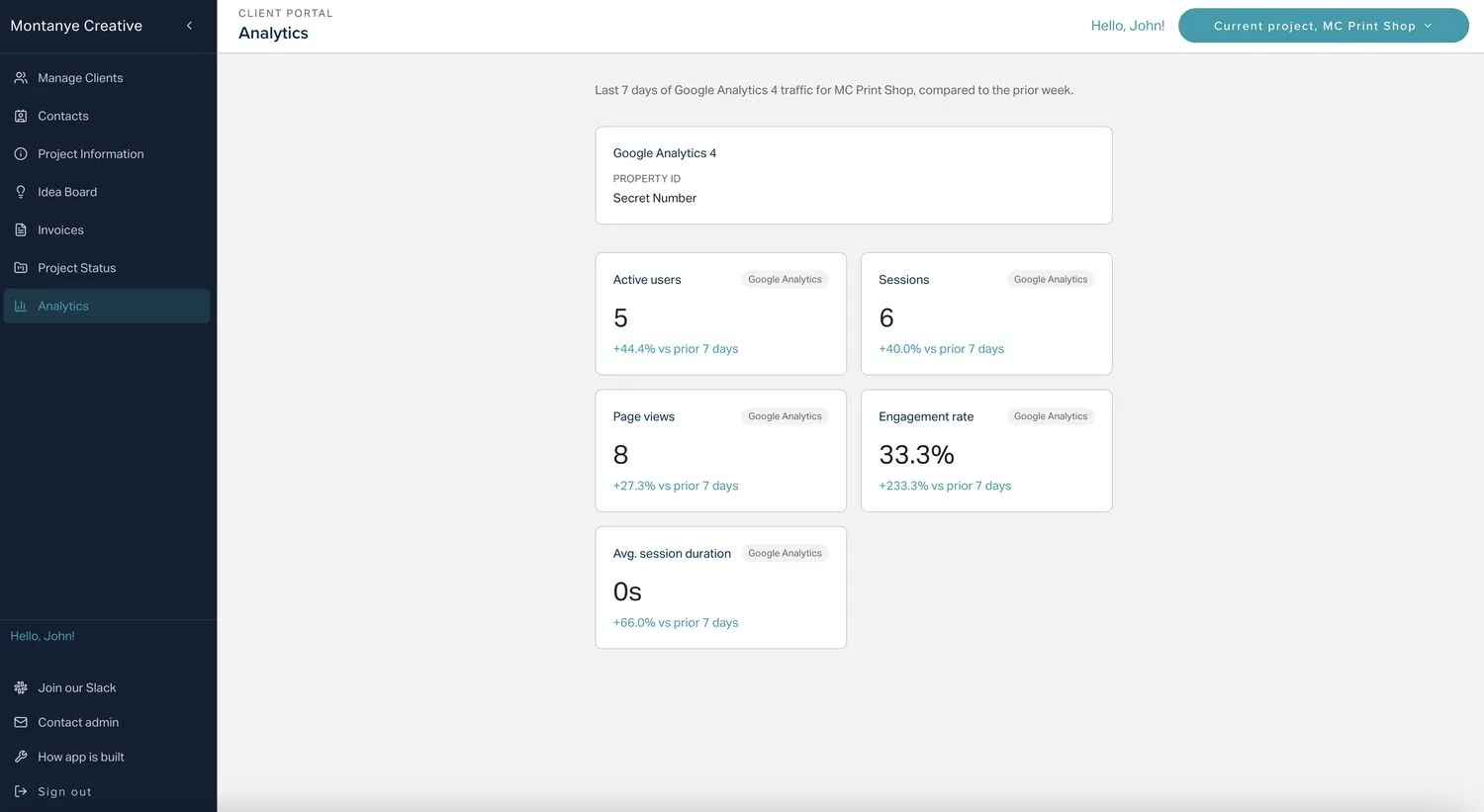
Just enough signal, without the full GA console
When a project links its Google Analytics 4 property, the portal pulls traffic through the official Data API: a last-7-days snapshot with week-over-week comparison across active users, sessions, page views, engagement, and session duration.
Each engagement links its own GA4 property, so the numbers always stay scoped to the right site. It's enough to orient a weekly conversation without dumping a client into the full console.
- GA4 Data API
- Week-over-week
- Per-project scope
Passwordless in, production-grade underneath
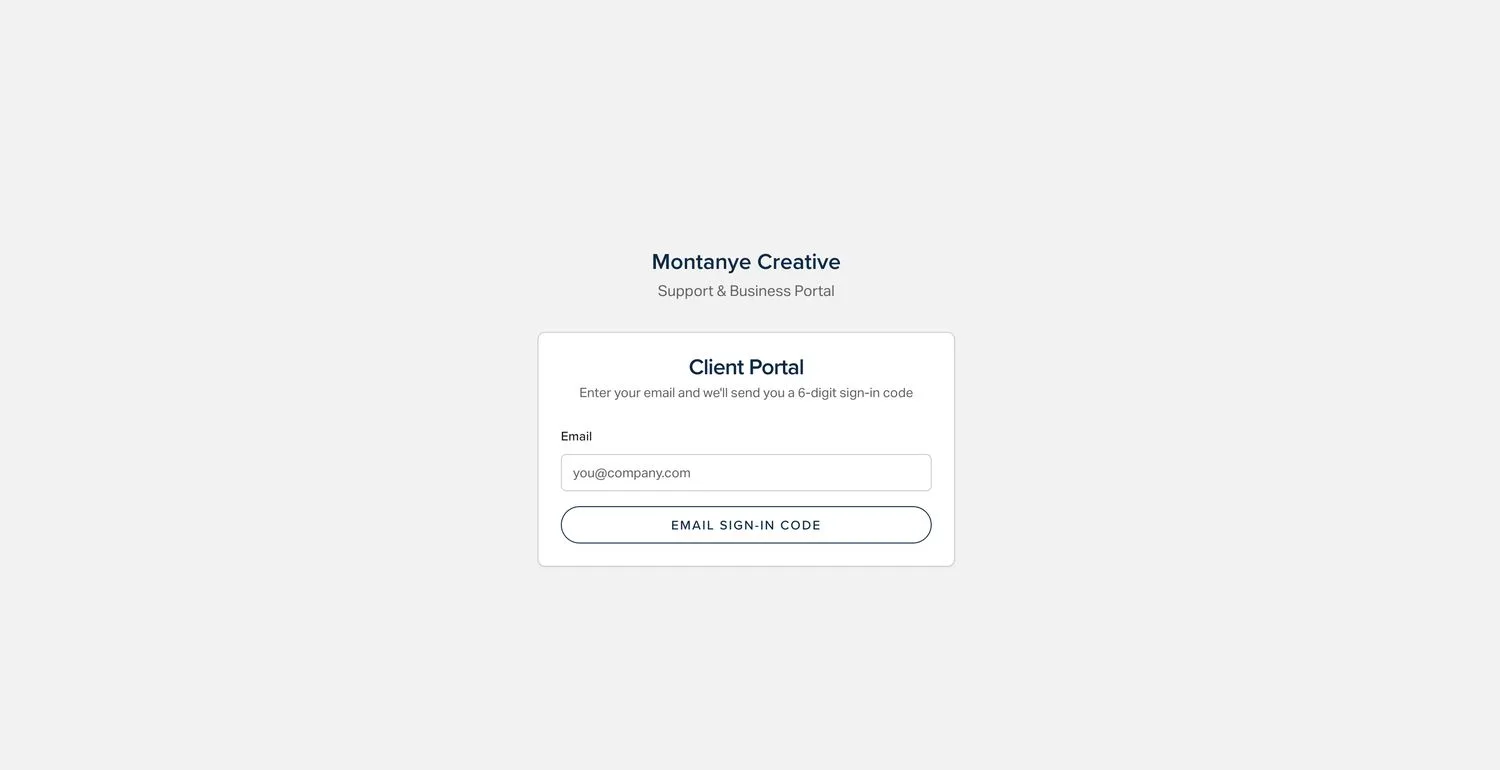
Sign-in is passwordless: enter your email, receive a six-digit code through Postmark, and you are in. No passwords to reuse or leak. Sessions are server-gated and access is allowlisted, so the product is built for approved collaborators, not open registration.
The portal is role-aware: clients see their engagement while the studio operates across active projects from the same shell. Data lives in Neon Postgres with automatic weekly backups to S3.
- Better Auth · OTP
- Server-gated sessions
- Role-aware
- Weekly S3 backups
Proof of craft, end to end
Full-stack ownership
Architecture, data model, UI, and delivery: designed and shipped solo, in production.
Real production concerns
Passwordless auth, server-gated sessions, input sanitization, bot protection, and automated backups.
Third-party integration
GitHub, Google Analytics 4, Stripe, and Postmark wired into a coherent product.
Role-aware multi-tenant
One product shell serving both clients and the studio, scoped correctly per account.
Accessible, on-brand UI
Radix primitives and Tailwind for accessible patterns that still feel designed.
Considered content editing
Sanitized TipTap rich text for descriptions, comments, and notes, not textareas pretending to be documents.
Want a portal like this, or a custom app for your business?
This is a real production application, not a template: the same engineering I bring to client work, from architecture to a shipped, maintainable product.